
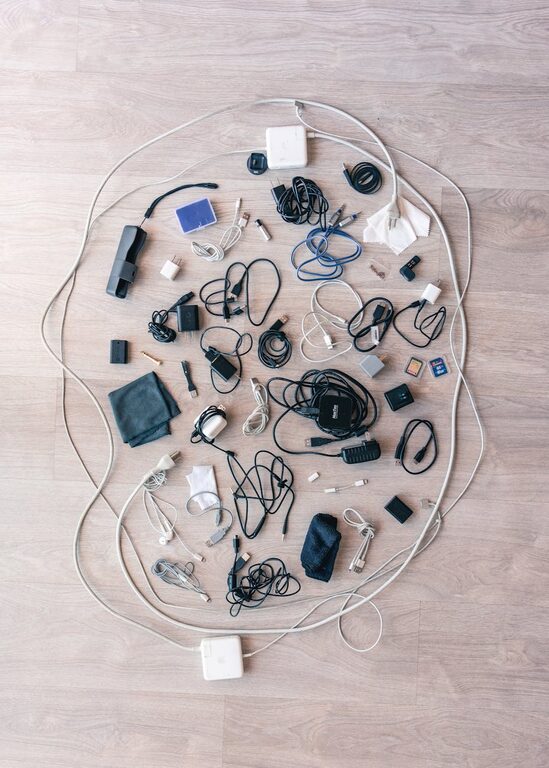
Keeping cables and chargers organized can be a challenge, especially as we accumulate more electronic devices over time. Messy cords not only create clutter but can also make it difficult to find what you need when you need it. Fortunately, with a few simple strategies and tools, you can keep your cables and chargers tidy, accessible, and safe. In this post, we will explore practical tips and creative solutions to organize your cables and chargers neatly.
Why Organize Your Cables and Chargers?
Before diving into the how, it’s helpful to understand why organizing cables is beneficial:
– Reduces clutter: Tangled cords can make a desk or room look messy.
– Saves time: Clearly labeled and separated cables make it easier to find the right one quickly.
– Prevents damage: Knots and bends can damage cables, reducing their lifespan.
– Improves safety: Loose cables can be tripping hazards or cause electrical problems.
– Enhances aesthetics: A clean setup looks more inviting and professional.
Step-by-Step Guide to Organizing Your Cables and Chargers
1. Gather and Sort All Your Cables
Start by collecting all the cables and chargers you use regularly. Include USB cables, phone chargers, laptop cables, headphones, and power cords. Next, sort them by type and function, for example:
– Phone chargers
– Laptop chargers
– USB cables for storage devices
– HDMI or display cables
– Audio cables
Sorting helps you see how many cables you have and identify any duplicates or old cables you no longer need.
2. Declutter by Removing Unused or Broken Cables
Once sorted, check for cables you no longer need or those that are broken. Recycling or donating unused cables can reduce clutter significantly. Keep only the cables that are functional and necessary.
3. Label Your Cables
Labeling cables makes it easier to identify them without unplugging or tracing back the wire. Use simple solutions like:
– Label stickers or tags
– Washi tape with handwritten notes
– Pre-made cable labels
Mark each cable with details like the device type, length, or specific use (e.g., “Phone Charger”, “External Hard Drive USB”).
4. Use Cable Ties and Organizers
Keeping cables from tangling is easier with cable ties or wraps:
– Velcro straps: Reusable and gentle on cables.
– Twist ties: Cheap and adjustable.
– Silicone cable organizers: Flexible and come in various shapes.
– Cable clips: Stick these to desks or walls to keep cables in place.
Wrap excess cable length neatly with ties to avoid tangling and keep cables at manageable lengths.
5. Choose Storage Solutions That Fit Your Space
Depending on where you want to organize your cables, consider different storage options:
– Cable boxes: Conceal power strips and cables in a decorative box for a clean look.
– Drawer organizers: Use small containers or dividers to separate cables inside drawers.
– Hanging organizers: Use pegboards or hanging pockets on walls.
– Charging stations: A dedicated station for charging multiple devices helps keep cables centralized.
Choose options that suit your area and usage style.
6. Keep Cables Accessible but Out of Sight
For cables used frequently, keep them easy to reach but neatly arranged. For example:
– Use a cable holder or clip on the edge of your desk.
– Place a charging station on your desk or nightstand.
– Route cables with adhesive clips along desk edges to avoid loose wires.
For cables used less often, store them in labeled containers or drawers.
7. Maintain Regular Cable Organization
Cable organization is an ongoing task. Set a routine, such as monthly checks, to:
– Re-label new cables.
– Remove or replace damaged cables.
– Re-wrap and secure loose cables.
Maintaining your system ensures your space stays tidy and efficient.
Bonus Tips for Specific Cable Types
Organizing Earphone and Headphone Cables
Small audio cables tend to tangle easily. Use a small cable winder or a magnetic clip to keep them neat.
Managing Power Strips and Chargers
Use cable sleeves or cable boxes to conceal messy power strips. Label chargers and plug positions if you have multiple devices charging at once.
Traveling with Cables
Use a travel cable organizer case with compartments to keep cords separated and safe while on the go.
Conclusion
Organizing cables and chargers doesn’t have to be complicated or expensive. By sorting, labeling, using simple tools like cable ties, and choosing appropriate storage, you can transform cluttered cords into an orderly setup. A neat workspace not only looks better but also helps you work more efficiently and protect your devices. Start with small steps today, and enjoy the benefits of a tidy cable system!
If you implement these ideas, you’ll wonder how you ever lived with tangled cables!